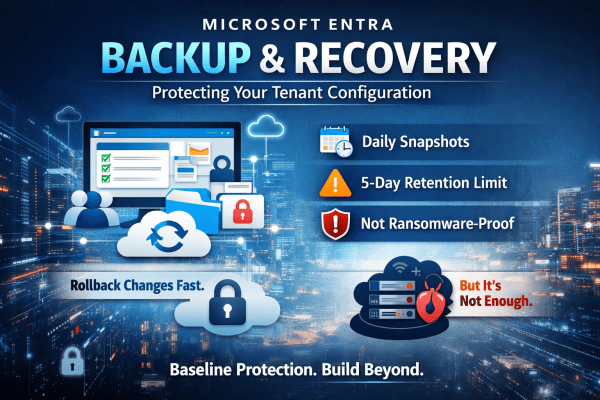
A single misclick in Microsoft Entra can break access across your entire tenant. No warning. No easy rollback. No backup you can rely on. Microsoft’s new Backup and Recovery feature changes that, but don’t assume it solves the problem completely. It gives you daily snapshots, limited rollback, and visibility into changes. Useful, yes. Enough on its own? Not even close. If you’re relying on it as your safety net, you’re already exposed. Here’s what it actually does well and where it falls short.
New Outlook for Windows Explained: What IT Admins Need to Know in 2026
Microsoft’s New Outlook for Windows is gradually replacing the traditional desktop Outlook many businesses rely on. Built on the same technology as Outlook on the web, it introduces a cloud-first approach that changes how email is managed, supported, and secured. In this guide, we break down what the New Outlook actually is, when it launched, and what IT admins and Microsoft 365 organisations should know before switching.
The Ultimate Guide to Secure BYOD: Mastering App Protection Policies Instead of Full Device Enrollment
BYOD offers flexibility, but it can also open the door to serious data risks if it’s not managed properly. Instead of taking full control of employees’ personal devices, modern security focuses on protecting the data itself. In this guide, you’ll learn how to secure company information on personal phones using Microsoft Intune App Protection Policies and Conditional Access, giving your team the freedom to work anywhere while keeping sensitive data locked down.
Stop Treating All Data the Same: How to Master Microsoft 365 Security with Authentication Contexts
Not all data is equally sensitive, yet many Microsoft 365 environments treat every file and app the same. Blanket multi-factor authentication creates fatigue, and security signals get ignored. That’s where authentication contexts come in. They let you apply stricter Conditional Access controls only to high-value resources—like finance or HR data—while keeping everyday workflows smooth. With granular protection, MFA fatigue drops, security becomes meaningful again, and your most critical data stays safe without slowing down the organization.
Mastering Entra ID Synced Passkeys
Entra ID synced passkeys replace passwords with phishing-resistant authentication built on FIDO2 standards. Users sign in using biometrics or device PINs, with credentials securely synced across devices. The result is stronger security, faster access, and a smoother experience for both users and IT teams.
The 5 Microsoft 365 Myths Putting Businesses at Risk in 2026
Microsoft 365 is powerful, but common misconceptions continue to leave businesses exposed. This article breaks down five persistent Microsoft 365 myths for 2026, explaining where organisations often go wrong and what they should be doing instead to protect their data, users, and systems.
Autopilot V1 vs V2: Which Is Right for Your Windows Device Deployment?
Windows Autopilot makes provisioning devices simple, but not all deployments are the same. Autopilot V1 offers advanced control for complex, hybrid environments, while V2 delivers a faster, cloud-ready setup for organizations looking to get users up and running immediately. Understanding the differences ensures IT teams choose the right approach for efficiency and productivity.
Enhance Microsoft 365 Security by Switching to Edge
In today’s digitally driven world, businesses are increasingly relying on cloud solutions like Microsoft 365 for their operational needs. However, many organizations overlook an integral aspect of ensuring security and compliance while using these platforms: the choice of web browser. This article dives into why Google Chrome or any other non Microsoft browser may not... Continue Reading →
Microsoft 365 Licenses Explained: Pricing & Features
Choosing a Microsoft 365 licence does not have to be complicated. This guide breaks down every plan, from Personal to Enterprise, with clear pricing, key features, and real-world use cases to help you pick the right fit with confidence.
Revolutionize Cybersecurity with Microsoft Security Copilot
Cybersecurity is becoming harder to manage as threats grow more advanced and more frequent. IT teams are under pressure to detect attacks faster, reduce alert fatigue and keep their environments secure without adding unnecessary complexity. Microsoft Security Copilot aims to help with exactly that. It brings AI into daily security work so teams can investigate... Continue Reading →