Your Browser Is Now Your Office. So Why Isn’t It Secured?

When people think about Microsoft 365 security, they usually think about things like: Multi-Factor Authentication (MFA) Strong passwords Microsoft Defender Conditional Access Email protection All of these are important. But there is one piece of the puzzle that many businesses completely ignore. The web browser. Your Browser Has Become Your Workplace Think about your average... Continue Reading →

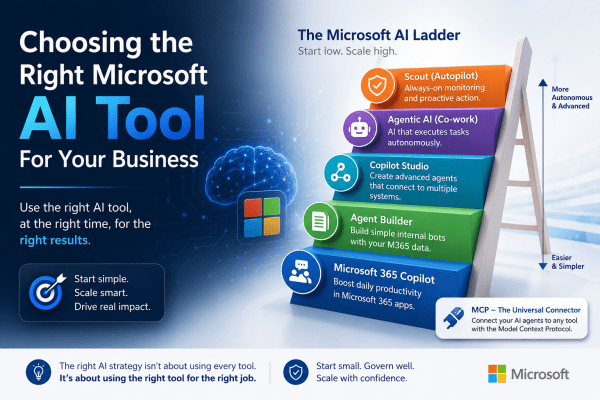
Choosing the Right Microsoft AI Tool Without Wasting Money

Microsoft offers a growing range of AI tools, but many businesses struggle to know which one they actually need. Terms like Copilot, Agentic AI, Copilot Studio, and MCP are often used interchangeably, even though they serve very different purposes. Choosing the wrong tool can lead to unnecessary costs and complexity. The key is to start with the simplest solution that meets your needs, then move to more advanced tools only as your business grows.

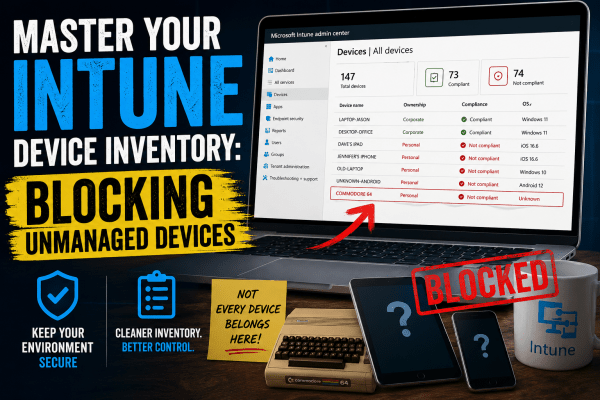
Who Let That Device In? Managing Intune the Right Way

Your Intune device inventory should contain trusted company devices, not random personal hardware. In this article, we'll look at how Intune determines device ownership, why enrollment restrictions matter, and how to stop unmanaged devices from cluttering your environment. You'll also learn why Conditional Access alone isn't enough and how combining it with proper enrollment controls creates a cleaner, more secure Microsoft 365 tenant.

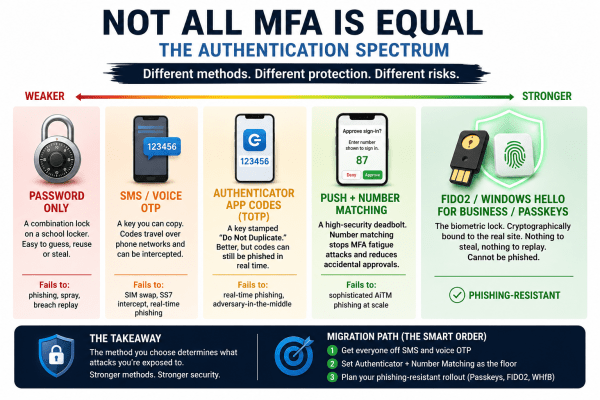
Why ‘We Have MFA’ Doesn’t Mean You’re Secure

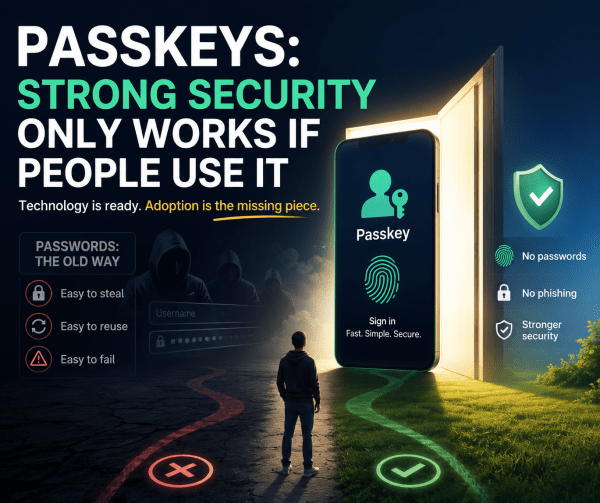
Most MFA setups are not equally secure. Different authentication methods sit on a spectrum, from easily phished passwords and SMS codes to phishing-resistant passkeys and FIDO2 security. This visual breaks down how each method actually fails in real-world attacks, and why the strongest options eliminate entire attack categories instead of just reducing risk.

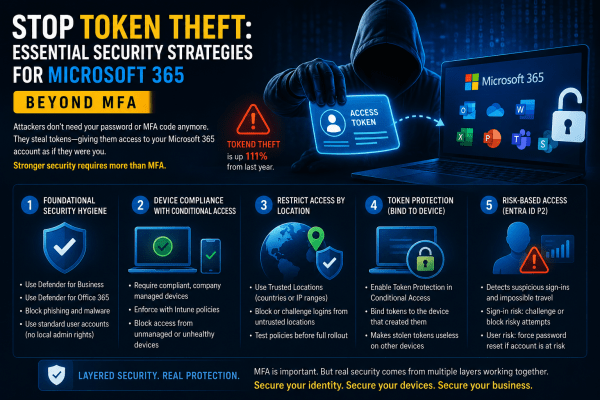
Stop Token Theft: Why MFA Alone Is No Longer Enough for Microsoft 365

Most businesses believe MFA is enough to protect Microsoft 365 accounts. It isn’t. Attackers are now bypassing traditional authentication by stealing session tokens directly from user devices, giving them silent access to emails, files, and company data without triggering MFA prompts. In this article, we break down how token theft works, why it’s becoming one of the fastest-growing cyber threats, and the practical Microsoft 365 security strategies every organization should implement before it becomes a real incident.

Microsoft 365 Security Starts Here: 3 Conditional Access Policies You Cannot Ignore

Most Microsoft 365 tenants are far less secure than organizations think. A password policy and a basic country block are not enough to stop modern attacks. This article breaks down the three Conditional Access policies every tenant should deploy from day one: strong MFA for all users, phish-resistant authentication for administrators, and device compliance enforcement through Intune. These foundational controls dramatically reduce the risk of account compromise, unauthorized access, and unmanaged devices accessing corporate data.

Create a website or blog at WordPress.com

Up ↑