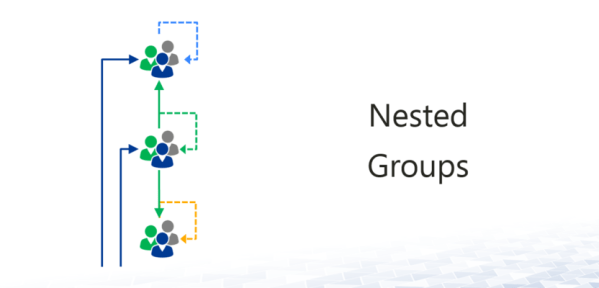
I recently came up with a request to get a list of all members of a distribution group which can easily be done using Power shell. Get-DistributionGroupMember -Identity "testgroup@xyz.com" This will output all members of the group including other groups. Other groups have nested groups as well so it would be cumbersome process to get... Continue Reading →
Steps to take prior to Installing Cumulative Update for Exchange 2010/2013/2016
I have come across the following issue post cumulative update for Exchange servers several times hence decided to share this with everyone. Web.config is a file that contains client specific limits for OWA, EWS , and Active Sync. When a cumulative update is installed, the web config file is overwritten and the limits that you... Continue Reading →
Taking Ownership of Office 365 Tenant
Let's assume that you have got a client named XYZ Services (xyzServices.com) that you need to set up an Office 365 tenant for. As per the client, they have never used Office 365 services before, they have been on some On-Prem Exchange. When creating a new tenant, you are required to enter the Tenant name... Continue Reading →
Mailbox and Distribution Access Permissions
There have been many instances where we get a request to find out which mailboxes if any does a specific mailbox has access to and what's the access level. And also to find out out which distribution group(s) is user member of. It's not easy to get this manually by checking the properties of each... Continue Reading →
Exchange Online: Viewing / Changing Calendar permissions for All Users
I come across this request a lot i.e. to view or change calendar permissions for all mailboxes. For e.g. UserA would like to have Publishing Editor rights on all mailboxes or UserA needs to be removed as publishing editor access off all mailboxes. Let’s assume that there are 100+ users to apply this to so... Continue Reading →
Citrix Studio: Cannot Communicate with the Database
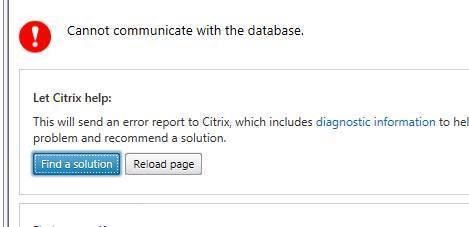
I have recently came across an issue where I got the below error message upon launching Citrix Studio. Cause: Normally, you would just check if the database server is online and there is no connectivity issue between that and Citrix delivery controller. But most of the times that’s not the cause of the issue. In... Continue Reading →
Citrix 7.15 Desktops spans across multiple Monitors
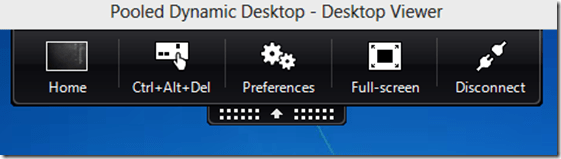
Recently, I came across an issue where whenever users launched a desktop off their citrix, it would launch it across multiple monitors instead of giving user an option if they want to view it in full screen or span to multiple monitors. This can be fixed using GUI or making a change to the web.config... Continue Reading →
Citrix 7.15 Desktop tab is missing from Citrix Storefront
Recently, I came across an issue where one of our clients complained that they don’t see Desktop tab when they log on to their Citrix, they only see APPS there. Please check the following: Log on to Citrix Store Front server.Highlight store front and select “Configure store settings”. 3. Select “Advanced Settings”. 4. Open “Filter... Continue Reading →
Testing Mail Relay / Sending Email Using PowerShell
Sometimes we need to test sending an email using mail relay and normally we telnet to mail relay on port 25 which is a bit complicated and extensive method in my view. Using that method if you make any typo, you would have to start from scratch. A simple PowerShell command can be used instead... Continue Reading →
How to Safely Remove Correct Volumes from VMWare
It’s scary when removing the offline drives as working drives can be removed accidentally. I will show you how to make sure that you are in fact removing the correct drive from VCentre. You need to make sure the drive is offline in disk management. Right-click on Disk – Properties 3. Look for number after... Continue Reading →