Enhancing Cybersecurity with Microsoft Security Service Edge
In the fast-evolving landscape of cybersecurity, staying ahead of threats is paramount for businesses of all sizes. With the emergence of Microsoft Security Service Edge (SSE), a new wave of protection is on the horizon. In this blog post, we delve into how this technology is revolutionizing cybersecurity for Microsoft 365 users, providing a comprehensive overview and a step-by-step demonstration.
Understanding the Evolution of Cybersecurity
To comprehend the significance of SSE, we must first reflect on the historical challenges faced in securing data access across various devices and locations. Traditionally, organizations relied on robust firewalls within office premises to safeguard critical files, emails, and applications. However, the shift towards remote work and cloud-based operations has rendered these conventional security measures inadequate. As employees now work from diverse locations using different devices, the limitations of office-centric firewalls have become increasingly evident, creating vulnerabilities in business security postures.
Introducing Microsoft Security Service Edge (SSE)
SSE, short for Secure Service Edge, represents a pivotal advancement in cybersecurity solutions. Acting as a Cloud firewall, SSE offers comprehensive protection for users accessing data from any device, anywhere. By seamlessly integrating with Microsoft 365, SSE ensures enhanced security for users, mitigating risks associated with dispersed work environments. Moreover, the consolidation of multiple security products into a unified SSE solution simplifies security management for businesses, promoting efficiency and efficacy in threat prevention.
Navigating the SSE Implementation Process
For Microsoft 365 users, the prospect of leveraging SSE is not just a future possibility but a present opportunity. While the technology is currently in preview, organizations can begin testing its functionalities to gauge its potential benefits. Notably, there are promising indications that SSE may be included in the Microsoft 365 Business Premium subscription, offering users an additional layer of security at no extra cost.
Demonstrating the Power of SSE in Action
The deployment of SSE involves activating the service, configuring conditional access settings, and establishing traffic forwarding profiles. By installing the Global Secure Access client on designated devices, users can control and monitor data access, apply web content filtering policies, and create customized security profiles for different user groups. The ability to enforce conditional access policies based on specific criteria ensures that data access remains secure and compliant with organizational policies.
Activation:
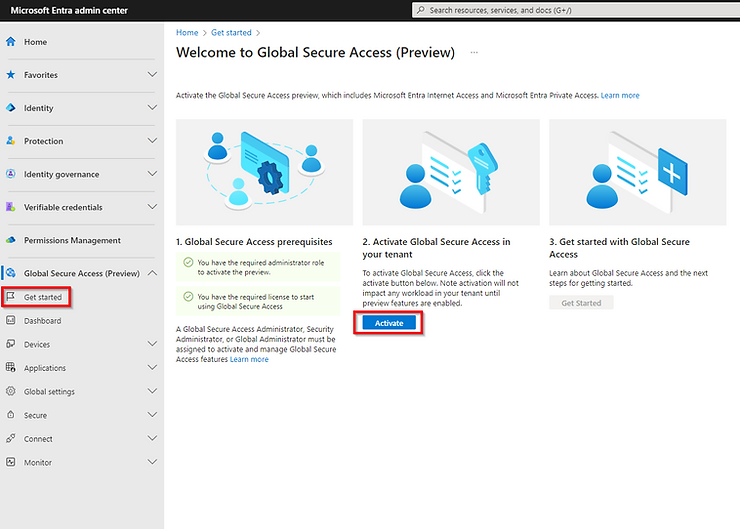
The first step is to enable the feature within your tenant. To do this, log in to the Entra admin portal. Navigate to **Global Secure Access (Preview)** and select **Get started**. From there, simply click **Activate** to enable the feature.
Session Management:
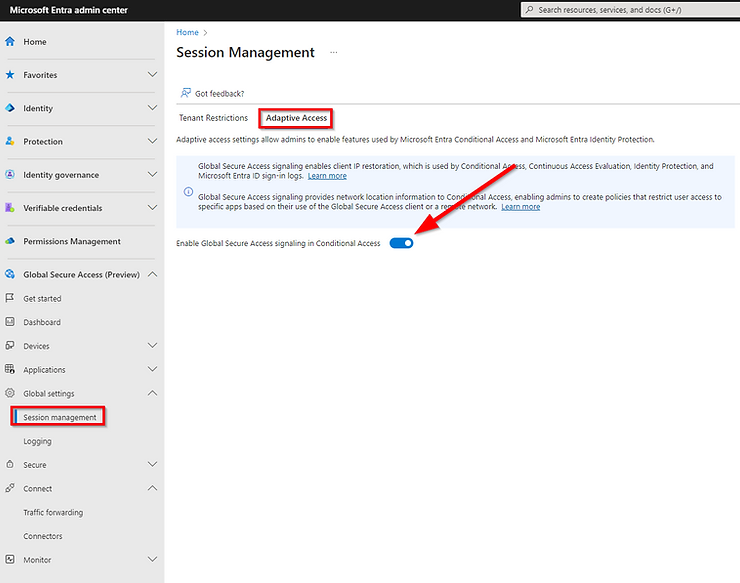
To use features within Conditional Access and Identity Protection, you need to enable Adaptive Access within the Session Management settings under Global Settings. By turning on this feature, Global Secure Access signaling activates client IP restoration. This is then utilized by Conditional Access, Continuous Access Evaluation, Identity Protection, and Microsoft Entra ID sign-in logs. These signals provide network location information, allowing you to create policies that restrict user access to specific apps based on their use of Global Secure Access via the GSA client or a remote network. Don’t forget to save your changes.
Traffic Forwarding
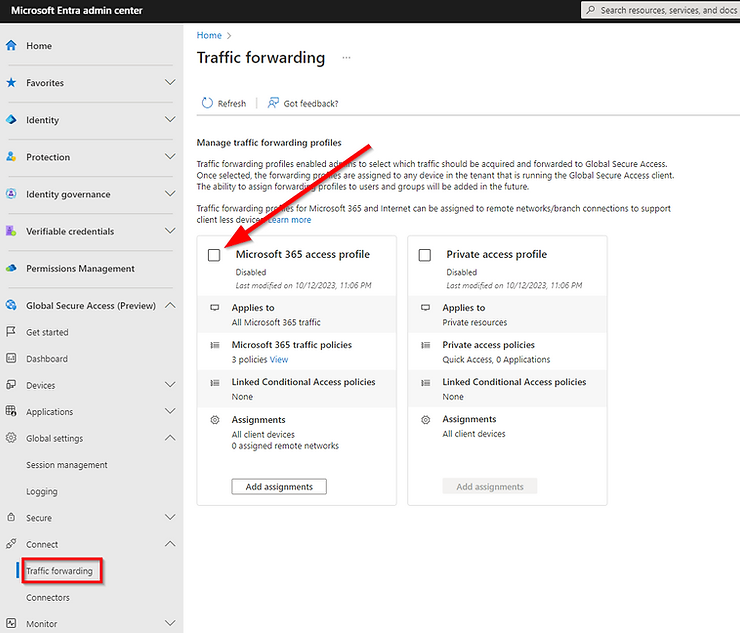
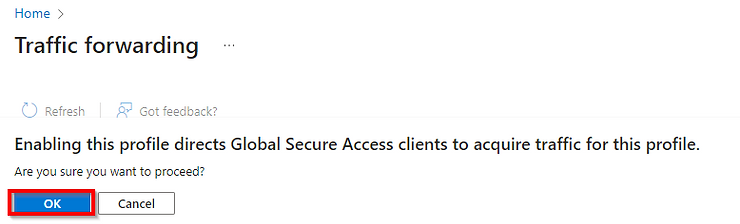
For your chosen traffic to route through the Secure Service Edge, the GSA client needs to know which traffic to send there, and this is managed through Traffic Profiles. You can find Traffic Profiles in the Global Secure Access dropdown by navigating to **Connect** > **Traffic forwarding**. Currently, the available profiles include Microsoft 365 access (M365 traffic) and Private access (privately hosted applications, either on-premises or in multi-cloud environments). Internet access profiles will be available once they enter public preview.
Global Secure Access Client Deployment
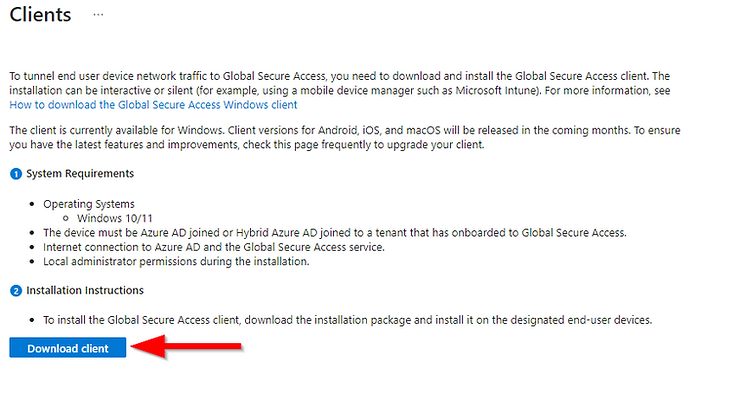
Deploying the client using Intune is straightforward. Simply download the client from the Entra portal by navigating to Global Secure Access (Preview) > Devices > Clients.
Conditional Access
Once you have enabled these settings, the next step is to configure your Conditional Access policies to utilize the traffic policies. Alternatively, you can require users to connect to the Secure Service Edge (SSE) before accessing Microsoft 365 services. You’ll notice that a new Named Location has been automatically created for this purpose.
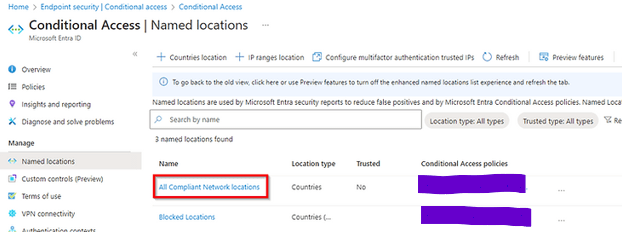
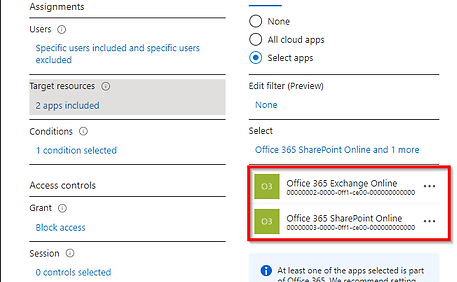
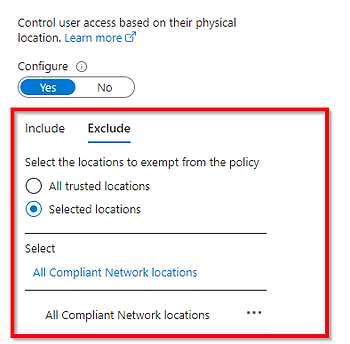
Following conditional access policy will block exchange online and share point for specific users unless they connect through SSE.
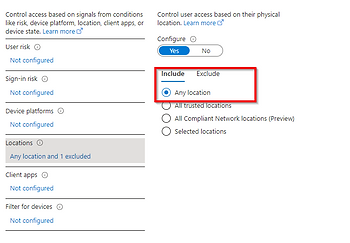
We exclude newly created “All compliant Network” location (SSE).
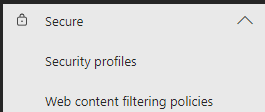
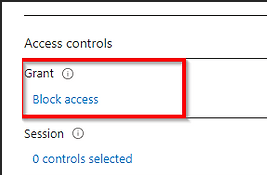
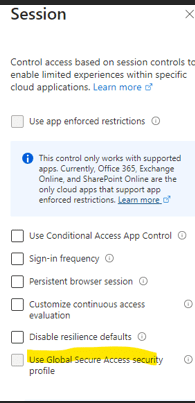
We block access and then under session select “Use global secure access security” and then it will prompt you select a policy. This is to filter web traffic when connected to SSE. So, for e.g. if you don’t want users to access any social networking sites when connected to SSE you can do so by creating security profiles under Global secure access in Entra ID.
Leveraging Logs for Monitoring and Analysis
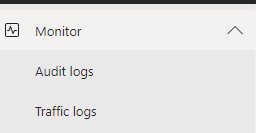
An integral aspect of SSE is its provision for monitoring traffic logs, enabling administrators to track internet access, analyze user connections, and identify potential security threats. By leveraging the monitoring capabilities within the Microsoft 365 admin center, businesses can gain insights into user behavior, detect anomalies, and proactively address security incidents.
Conclusion
In conclusion, Microsoft Security Service Edge emerges as a game-changer in the realm of cybersecurity, offering a comprehensive solution to address the evolving security needs of modern businesses. By seamlessly integrating with Microsoft 365 and providing robust security features, SSE empowers organizations to enhance their security postures, protect sensitive data, and adapt to the dynamic cybersecurity landscape effectively. As businesses navigate the complexities of remote work and cloud operations, embracing innovative solutions like SSE is essential to fortify their defenses and safeguard against emerging cyber threats.
 Salman Tariq
 SalmanTechBlogs
Leave a comment