Understanding Intune’s Compliance Misleading Defaults

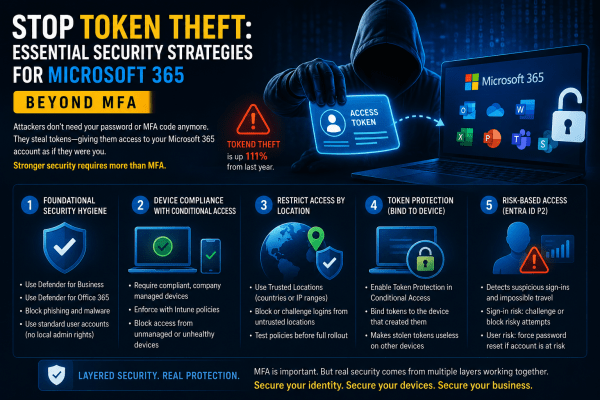
Most Intune environments look secure. Green ticks everywhere. Compliant devices. No obvious issues. But here’s the reality: a default setting can mark devices as compliant even when no policies are applied. No encryption checks. No OS validation. No real protection. That “secure” environment? It’s often just a dashboard illusion. If you’re relying on compliance without enforcing it through Conditional Access, you’re not controlling access, you’re just hoping nothing goes wrong. This post breaks down where it fails and how to fix it properly.

Safeguard Your Business with Microsoft 365’s Impersonation Protection

In today's digital landscape, safeguarding your business from cyber threats is more critical than ever. Microsoft 365's Impersonation Protection offers advanced security measures designed to protect your organization from phishing attacks, fraudulent emails, and other impersonation tactics. With features like real-time threat detection, automated alerts, and robust email filtering, Microsoft 365 ensures that your business communications remain secure and your sensitive information stays out of the hands of cybercriminals. Discover how leveraging this powerful tool can provide peace of mind and fortify your business against ever-evolving digital threats.

Create a website or blog at WordPress.com

Up ↑