
🌐 Introduction: The Changing Face of Network Security
In today’s rapidly evolving digital landscape, traditional network security models are no longer enough. Businesses have moved beyond the office — employees now work remotely, across time zones and continents. As a result, the once-standard approach of securing networks through physical firewalls in offices has become outdated and inefficient.
This shift has left many Managed Service Providers (MSPs) questioning their current strategies. One such MSP recently shared a concern: “I feel like the world of technology is moving on, and the solutions I’m still recommending are outdated.”
People are spending heavily on expensive firewalls for their offices, yet those firewalls only protect users when they’re physically in the office. With more people working from home or abroad, it’s clear that this model isn’t future-proof.
The solution? Microsoft Entra Suite — a comprehensive cloud-based identity and access management suite designed to replace legacy hardware with modern, scalable, and secure solutions.
⭐ Why You Should Care About Microsoft Entra Suite
The Microsoft Entra Suite offers five key features that can transform how businesses secure their digital environment:
- Entra Internet Access
- Entra Private Access
- Entra ID Governance
- Privileged Identity Management (PIM)
- Entra ID Protection
These tools not only eliminate the need for expensive firewalls but also provide end-to-end protection , automated workflows , and advanced threat detection — all within the Microsoft ecosystem.
Let’s dive into each one and see how they can benefit your clients or organization.
🖥️ Feature #1: Entra Internet Access – Replace Traditional Firewalls
🛡️ What Is It?
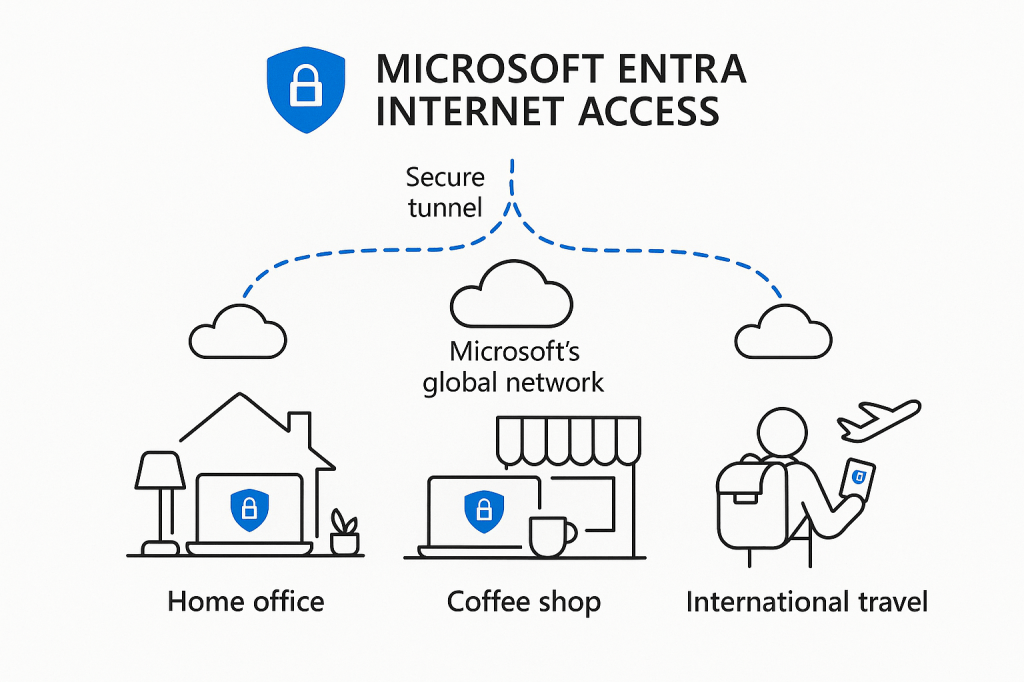
Entra Internet Access is a cloud-native service that secures internet traffic by routing it through Microsoft’s global network. This means every user — whether in the office, at home, or traveling — gets the same level of protection.
💡 How Does It Help?
- Secures All Users Anywhere : No longer limited to office-bound firewalls.
- Conditional Access Integration : Ensures users must meet certain criteria before accessing resources.
- No Need for On-Prem Hardware : Reduces costs associated with managing physical firewalls.
Instead of renewing costly firewall licenses, you can offer your clients a modern, cloud-first security solution that scales with their business.
🏢 Feature #2: Entra Private Access – Secure Internal Applications Without a VPN
🗝️ What Is It?
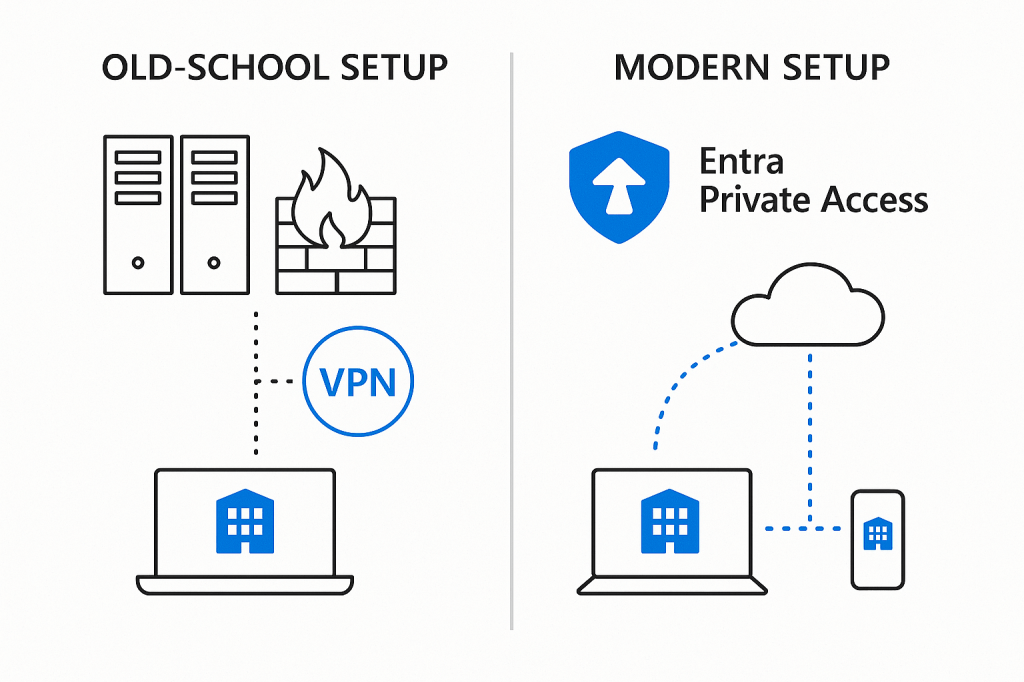
Many businesses still rely on legacy applications hosted on local servers. These apps often require VPNs or firewall rules to access them securely — which can be complex and risky.
Entra Private Access changes that. Think of it as a zero-trust gateway to internal applications without exposing them to the public internet.
💡 How Does It Help?
- Eliminates Need for Costly VPNs : Simplifies remote access.
- Zero Trust Architecture : Only authenticated and authorized users can access internal apps.
- Seamless Migration Path : Even if you move apps to Azure, Entra Private Access continues to protect them.
If your client has an aging payroll system or file server stuck in the office, Entra Private Access gives them a secure way to access these systems from anywhere — without opening up vulnerabilities.
👥 Feature #3: Entra ID Governance – Automate User Lifecycle Workflows
🔄 What Is It?
Managing user access is one of the most common pain points for IT teams. From onboarding new employees to offboarding leavers, manual processes lead to mistakes, delays, and security risks .
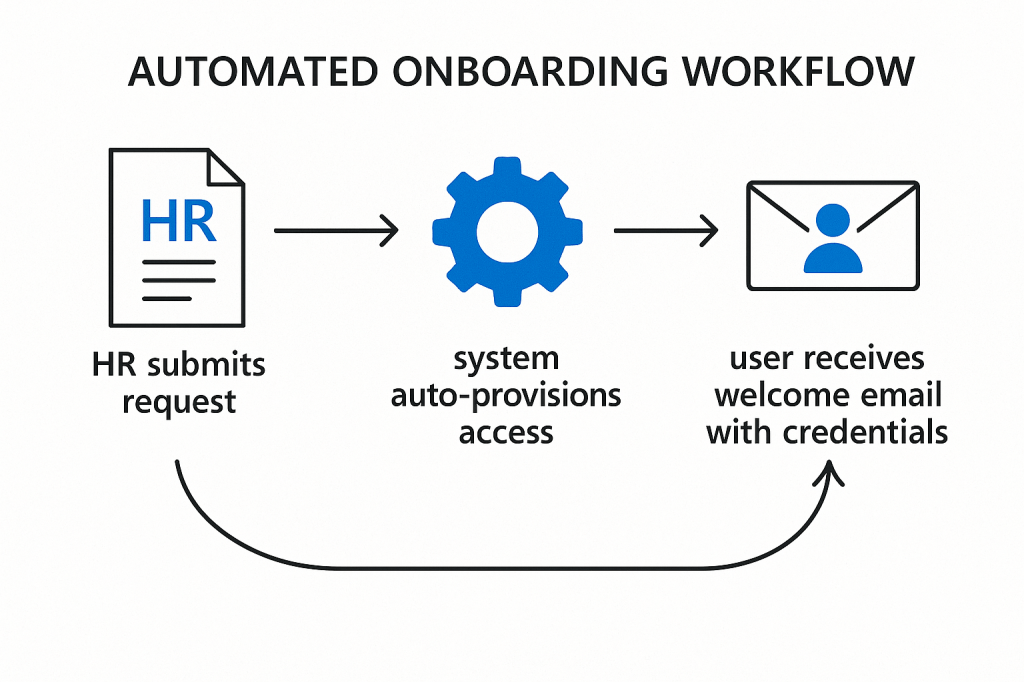
Entra ID Governance introduces automated lifecycle workflows that ensure the right people get the right access — automatically.
💡 How Does It Help?
- Automated Onboarding/Offboarding : New hires start with full access; leavers lose access immediately.
- Role-Based Access Control : Assign permissions based on job roles.
- Compliance & Auditing : Track who had access to what, and when.
For example, imagine a finance team member starting on Monday morning — and having access to all financial systems by 9 AM. That’s the power of Entra ID Governance .
🔐 Feature #4: Privileged Identity Management (PIM) – Secure Admin Accounts
🛑 What Is It?
Admin accounts are the crown jewels of any organization. If compromised, attackers gain full control over systems and data.
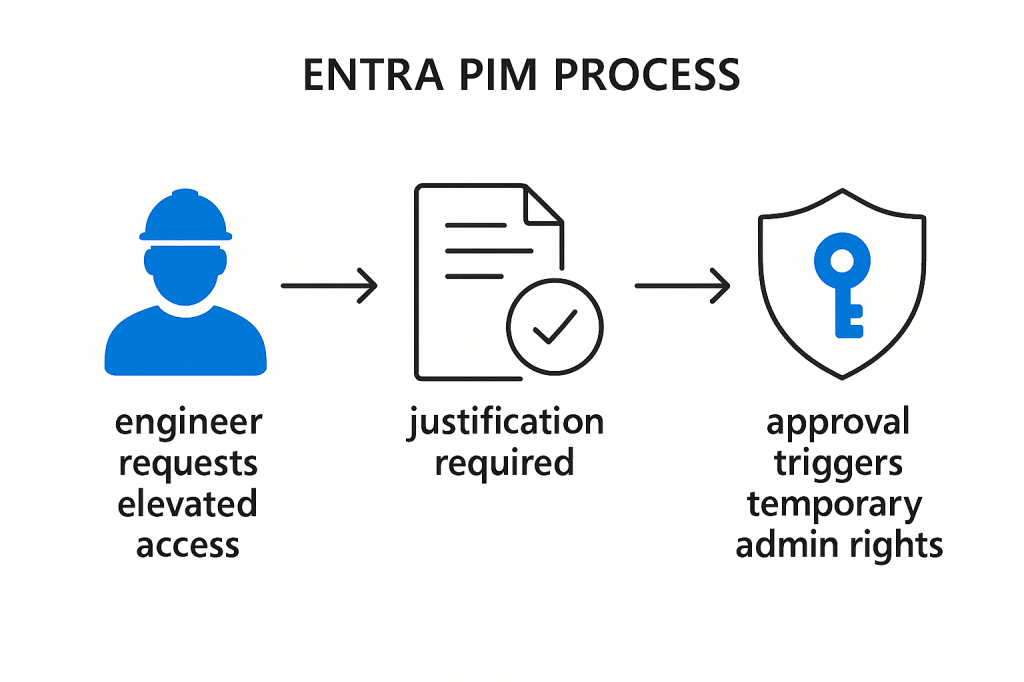
Privileged Identity Management (PIM) ensures that admin privileges are granted only when needed , and for a limited time .
💡 How Does It Help?
- Just-in-Time Access : Admin rights aren’t always active — reducing risk.
- Approval Workflow : Adds a layer of oversight.
- Audit Trail : Every use of privileged access is logged.
Imagine your engineers needing to apply for admin access just like borrowing keys to a vault — and returning them afterward. That’s PIM in action .
🚨 Feature #5: Entra ID Protection – Risk-Based Conditional Access
🧠 What Is It?
Even with strong authentication, breaches can happen. Phishing attacks, suspicious sign-ins, and brute-force attempts are constant threats.
Entra ID Protection uses AI-driven risk signals to detect anomalies in user behavior and block suspicious activity in real-time .
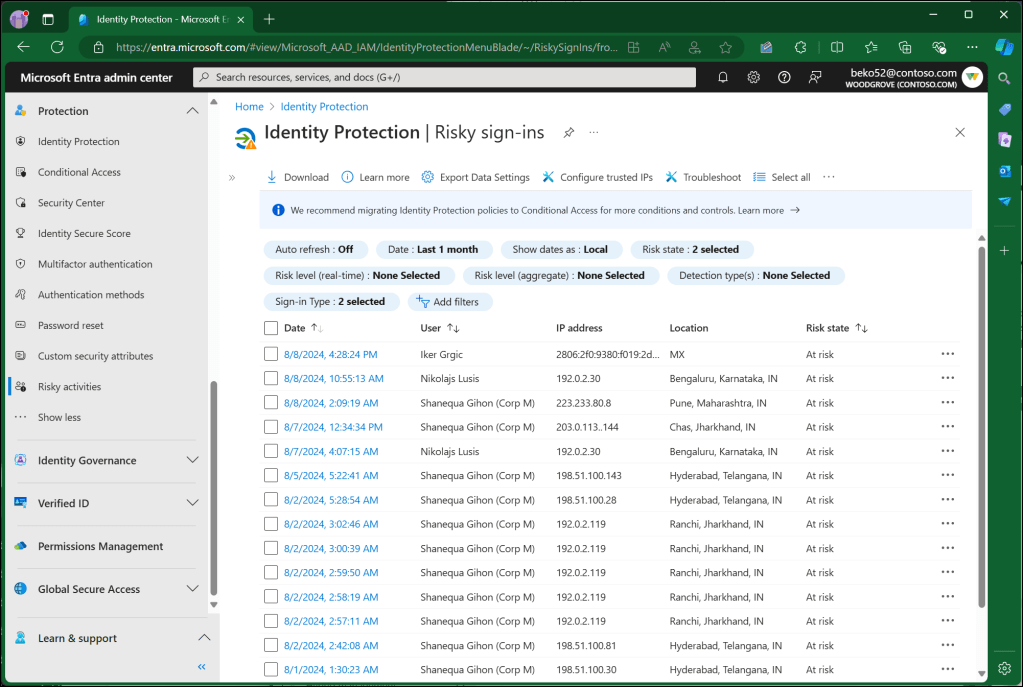
💡 How Does It Help?
- Automatic Threat Response : Blocks sign-ins from unknown locations or devices.
- Risk-Based Policies : Adjust security based on user behavior.
- Reduced Manual Oversight : AI handles the heavy lifting.
This feature acts like a 24/7 security team watching over your users — detecting threats and responding instantly.
💰 Is Microsoft Entra Suite Worth It?
At £9.20 per user per month , the Microsoft Entra Suite may seem expensive at first glance. However, when compared to the cost of maintaining multiple firewalls , VPNs , onboarding tools , and admin oversight , the long-term ROI becomes clear.
Consider the following:
| Cost | Traditional Setup | Microsoft Entra Suite |
|---|---|---|
| Firewalls | £X,XXX/year | Eliminated |
| VPN Licenses | £X,XXX/year | Eliminated |
| Admin Overhead | High | Reduced via PIM & Automation |
| Onboarding Errors | Frequent | Minimized via Governance |
| Threat Detection | Reactive | Proactive via ID Protection |
🧭 Conclusion: Future-Proof Your Security Strategy
The world of technology is moving fast — and so should your security strategy.
With Microsoft Entra Suite , you’re not just replacing outdated firewalls — you’re adopting a comprehensive, cloud-native security platform that scales with your business.
Whether you’re an MSP looking to retain clients or an IT leader aiming to modernize your infrastructure, the five features of Microsoft Entra Suite offer compelling value:
- Secure internet access anywhere (no firewall needed)
- Safe access to internal apps without a VPN
- Automated user onboarding/offboarding
- Tight control over admin privileges
- Real-time threat detection and response
Don’t let your clients feel like you’re stuck in the past. Show them the future — powered by Microsoft Entra Suite .
🔍 Frequently Asked Questions (FAQs)
Q: Can I add Microsoft Entra Suite to existing Microsoft 365 licenses?
Yes, the Entra Suite is an add-on license to Microsoft 365 Business Premium or other eligible plans.
Q: Do I need to migrate all my apps to Azure to use Entra Suite?
No, Entra Suite works with both on-premises and Azure-hosted applications.
Q: Is Entra Internet Access compatible with mobile devices?
Yes, it supports Windows, macOS, iOS, and Android .
Q: How does Entra ID Governance help with compliance?
It provides audit trails , role-based access , and automated provisioning , making compliance reporting easier.
Q: Can I customize conditional access policies?
Yes, you can create custom rules based on user roles , location , device , and risk levels .
📲 Call to Action
Ready to modernize your security strategy or impress your clients with a cutting-edge solution?
👉 Get started with Microsoft Entra Suite today and say goodbye to outdated firewalls, manual processes, and reactive security.
 Salman Tariq
 SalmanTechBlogs
Leave a comment