Empowering User Efficiency: Unveiling the Winget Command Line Tool for Streamlined Application Management on Windows 10 and Windows 11.
Enhancing App Management: Leveraging the Windows Package Manager Winget Command-Line Tool, Now Seamlessly Integrated with Windows 11 and Modern Versions of Windows 10 through App Installer.
**NOTE**: The winget command line tool is only supported on Windows 10 1709 (build 16299) or later at this time. The winget tool will not be available until you have logged into Windows as a user for the first time, triggering Microsoft Store to register Windows Package Manager as part of an asynchronous process. If you have recently logged in as a user for the first time and find that winget is not yet available, you can open PowerShell and enter the following command to request this winget registration: Add-AppxPackage -RegisterByFamilyName -MainPackage Microsoft.DesktopAppInstaller_8wekyb3d8bbwe.
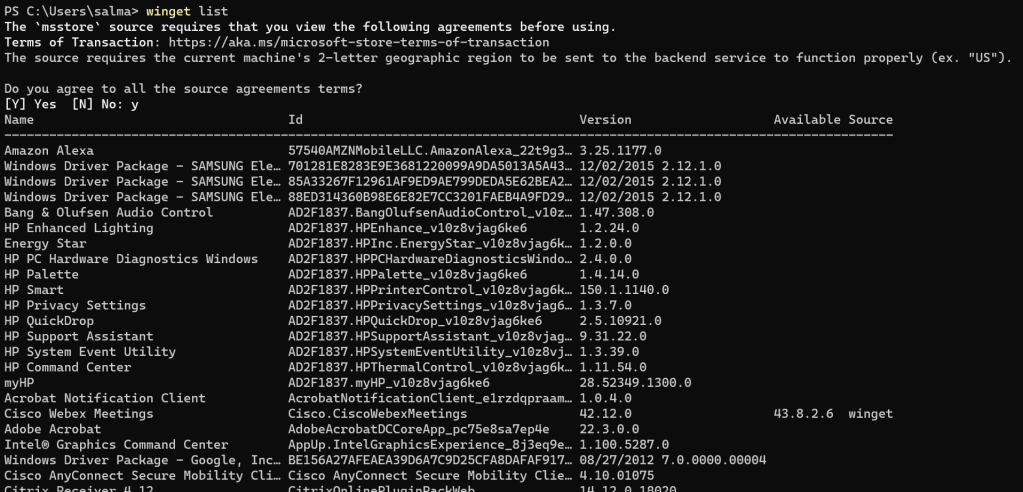
Open up cmd or powershell as admin and type winget list to list all installed apps.
Type winget upgrade to see which apps have updates available if any.
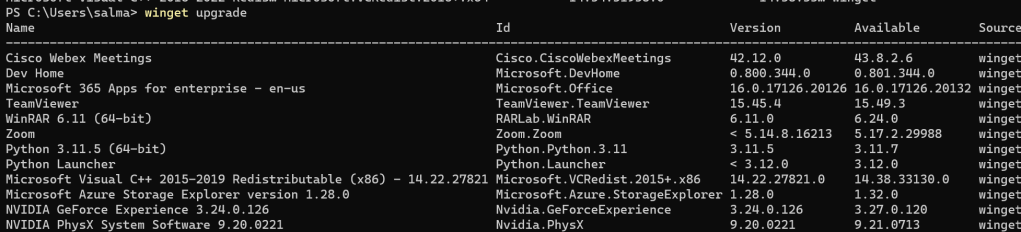
You can upgrade all apps by using winget upgrade –all command. All apps that have updates available will be seamlessly updated.
 Salman Tariq
 SalmanTechBlogs
Leave a comment