I have across an issue recently where I spent quite some time to figure out the cause. Few emails destined to UserA were also being delivered to UserB. If it was a forwarding, all emails would get forwarded but in this case it was few emails only and it was random. I made sure that there was no Exchange Online and / or Outlook rule causing that.
As per the message tacking on Exchange Online, I saw the following and checked all spam filters but couldn’t find anything there either.
| 250 2.1.605 Spam filter added recipients (redirect/bcc);250 2.1.605 Spam filter added recipients (redirect/bcc);250 2.1.605 Spam filter added recipients (redirect/bcc);250 2.1.605 Spam filter added recipients (redirect/bcc) |
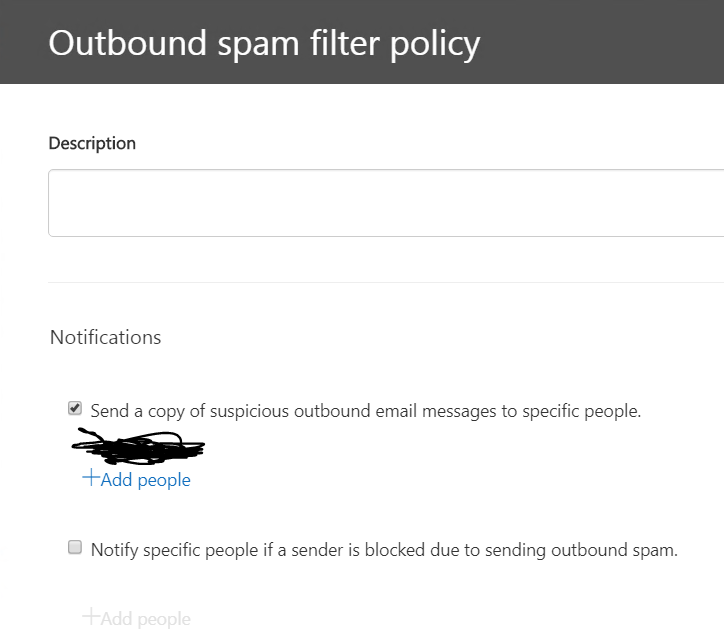
The issue turned out to be Outbound spam filter policy on Exchange Online even though Exchange Online spam filtering wasn’t being used.
- Log on to Office 365 as Global Admin and browse to https://protection.office.com/antispam
- Edit Outbound Spam filter policy.
- Check Notifications section and see if there is anyone listed there, in my case there was.
 Salman Tariq
 SalmanTechBlogs
Leave a comment