Issue
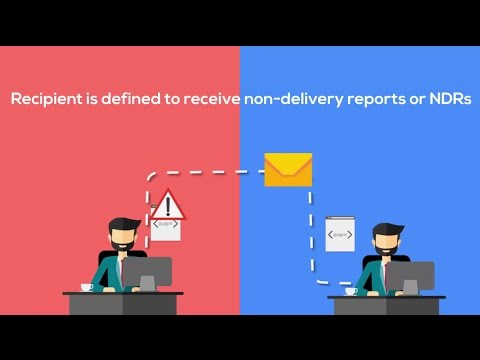
Recently, I have come across an issue where external emails sent to a distribution group were being discarded for members which were external recipients. Emails to internal recipient members were being delivered successfully.
For e.g. consider a client with domain @xyz.com having a distribution group called Sales@xyz.com with two members. John@xyz.com and vendor@gmail.com. When someone emailed sales@xyz.com externally, email gets delivered to John@xyz.com fine but gets discarded for vendor@gmail.com.
Some Email security systems such as Message Labs, Mime cast, Proof Point, and others will flag it as Spam as per the configured spam policies. In my case, such emails were being flagged as spam and hence being discarded as per the spam policies in place.
Fix
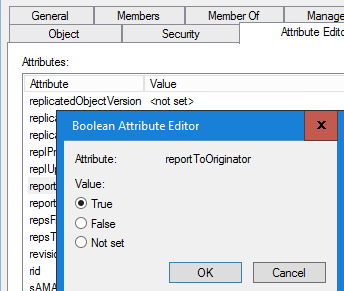
The fix was to enable reportToOriginator parameter of the Distribution Group in Active Directory by setting it to True. This can be done using Active Directory and also using Power Shell.
Go to the properties of the Distribution Group and select Attribute Editor tab to access the following window.
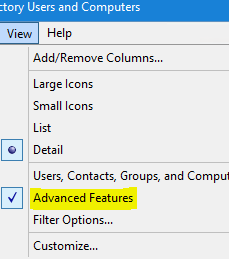
Please note that if you don’t see Attribute Editor tab, then select View – Advanced Features option and then you should be able to see that tab.
Set-DistributionGroup "<DistributionGroupName>" -ReportToOriginatorEnabled $true
Above Power Shell command can be run for the Distribution Groups which are on Office 365 only i.e. Cloud Only.
For Distribution Groups on on-prem AD that are being synchronized to O365, please make sure that you manually sync after making the above change on AD. If it still doesn’t work, please check AD Connect to confirm if reportToOriginator parameter is being synchronized to O365 because not all AD Parameters get sync’d to O365 by default.
 Salman Tariq
 SalmanTechBlogs
Leave a comment