Tired of manually managing software updates and installations? WinGet, the Windows Package Manager, makes it effortless to install, update, and uninstall apps with simple commands. Say goodbye to hunting for downloads—learn how to streamline your workflow with WinGet today!
Modifying the Default Outlook OST File Path via the Windows Registry
In this post, I’ll guide you through the steps to change the default location of Outlook OST files using the Windows Registry. If you're running into disk space issues on your C: drive due to large OST files, this method allows you to move them to another drive with more available space. Follow these simple steps to update the OST path and free up space on your main drive.
Effortless Evolution: A Guide to Seamlessly Updating Your Windows Apps for Enhanced Performance
Empowering User Efficiency: Unveiling the Winget Command Line Tool for Streamlined Application Management on Windows 10 and Windows 11. Enhancing App Management: Leveraging the Windows Package Manager Winget Command-Line Tool, Now Seamlessly Integrated with Windows 11 and Modern Versions of Windows 10 through App Installer. **NOTE**: The winget command line tool is only supported on Windows 10... Continue Reading →
Insufficient System Resources Exist to Complete Error On Active Directory Domains and Trusts
Issue I have recently come across a weird issue where when we try to add / remove a UPN suffix from AD Domains and Trusts, we would get the following error. This started happening after we patched our domain controllers in January 2022. Our PDC is at Windows 2012 R2 version. It’s a well-known issue... Continue Reading →
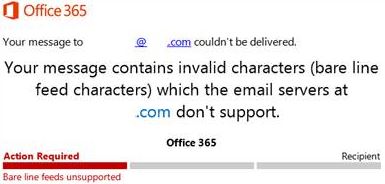
Emails Being Rejected on O365: Bare Line Feed Characters
This usually happens when a 3rd party server is emailing you which includes characters which causes emails to be rejected. Microsoft used to remove these characters before, but they stopped doing so. As per Microsoft documentation, receive connector need to be adjusted to fix this but that applies to on-prem exchange only. I couldn’t find... Continue Reading →
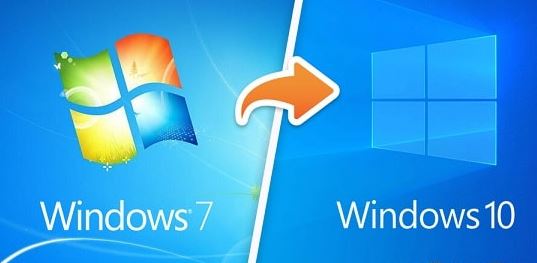
Upgrading Windows 7 To Windows 10 Issues
I ran into several issues recently where I was helping someone to upgrade few of their PCs from Windows 7 Pro to Windows 10 Pro, so I thought I will share my experience. Following are some of the things I did prior to running the update and most of the machines I was able to... Continue Reading →
“Cannot Write to Disk” Error On Windows
Issue You do not see an option to create a new folder or file or if you try to copy something on a drive, you get “cannot write to disk”. This can happen to one, few, or all drives. I confirmed that the disk status was NOT set to “read only” or permissions issue. Fix... Continue Reading →