Stop Treating All Data the Same: How to Master Microsoft 365 Security with Authentication Contexts
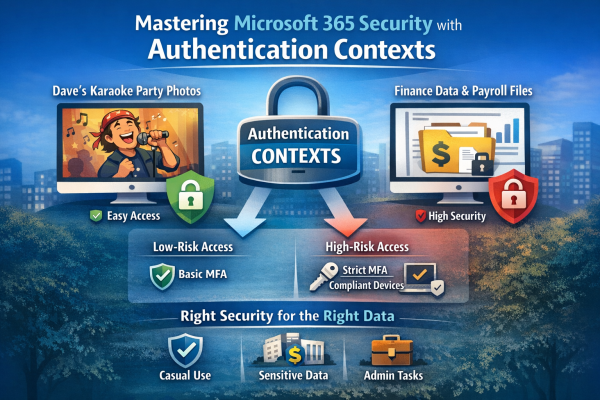
Not all data is equally sensitive, yet many Microsoft 365 environments treat every file and app the same. Blanket multi-factor authentication creates fatigue, and security signals get ignored. That’s where authentication contexts come in. They let you apply stricter Conditional Access controls only to high-value resources—like finance or HR data—while keeping everyday workflows smooth. With granular protection, MFA fatigue drops, security becomes meaningful again, and your most critical data stays safe without slowing down the organization.

Upcoming Updates to One Drive Retention Policies

Microsoft is implementing significant updates to the retention policies for OneDrive, aimed at enhancing data management and compliance. These changes may impact how long files are retained and the processes for data recovery. It’s essential for organizations and users to review the updates to ensure alignment with their storage and compliance needs.

Searching Emails using Power shell

Recently I came across a request to search for all emails sent out by a user that included attachments. I ended up getting that report using a power shell commands. To search for all sent emails with attachments in a mailbox using Power Shell, you can use the `Search-Mailbox` cmdlet available in Exchange Online or... Continue Reading →

Email Migration Issues

During a recent project involving the migration of emails from an on-premises Exchange server to Office 365, I utilized a third-party tool known as Avepoint. Throughout this process, I encountered several peculiar issues that required thorough investigation, despite their seemingly straightforward nature. Recognizing the potential value of sharing these experiences, I aim to provide insights... Continue Reading →

Mailbox Calendars Permissions For All Users

Following power shell commands can be used to get a list of all Exchange user's mailbox calendar permissions. Output will list all users along with the users that have permission to their calendars and also permission level. $Mailboxes = (get-mailbox -database dbname) $Mailboxes | ForEach {Get-MailboxFolderPermission -Identity “$($_.alias):\Calendar” | Select User, Identity, AccessRights} You can... Continue Reading →

Create a website or blog at WordPress.com

Up ↑