The Ultimate Guide to Secure BYOD: Mastering App Protection Policies Instead of Full Device Enrollment
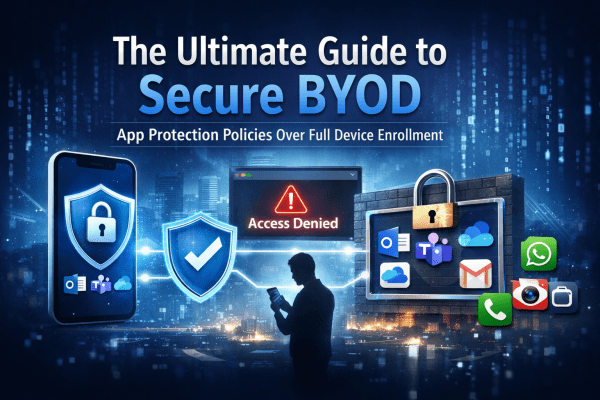
BYOD offers flexibility, but it can also open the door to serious data risks if it’s not managed properly. Instead of taking full control of employees’ personal devices, modern security focuses on protecting the data itself. In this guide, you’ll learn how to secure company information on personal phones using Microsoft Intune App Protection Policies and Conditional Access, giving your team the freedom to work anywhere while keeping sensitive data locked down.

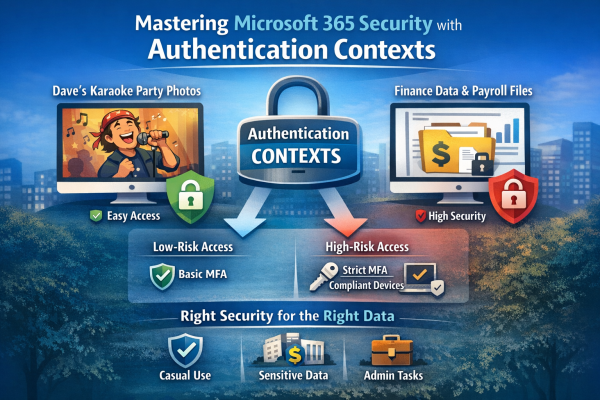
Stop Treating All Data the Same: How to Master Microsoft 365 Security with Authentication Contexts

Not all data is equally sensitive, yet many Microsoft 365 environments treat every file and app the same. Blanket multi-factor authentication creates fatigue, and security signals get ignored. That’s where authentication contexts come in. They let you apply stricter Conditional Access controls only to high-value resources—like finance or HR data—while keeping everyday workflows smooth. With granular protection, MFA fatigue drops, security becomes meaningful again, and your most critical data stays safe without slowing down the organization.

Safeguard Your Business with Microsoft 365’s Impersonation Protection

In today's digital landscape, safeguarding your business from cyber threats is more critical than ever. Microsoft 365's Impersonation Protection offers advanced security measures designed to protect your organization from phishing attacks, fraudulent emails, and other impersonation tactics. With features like real-time threat detection, automated alerts, and robust email filtering, Microsoft 365 ensures that your business communications remain secure and your sensitive information stays out of the hands of cybercriminals. Discover how leveraging this powerful tool can provide peace of mind and fortify your business against ever-evolving digital threats.

Create a website or blog at WordPress.com

Up ↑