Let's say you want to get a preview of how DFS is setup before you start making any changes. Following script will output the current dfs setup. This script first imports the DFS module using Import-Module DFSR. It then uses the Get-DfsnServerConfiguration cmdlet to get a list of all DFS Namespace servers in the domain.... Continue Reading →
Script to list The Members of Nested Distribution Groups
Connect to Exchange Online PowerShell $UserCredential = Get-Credential$Session = New-PSSession -ConfigurationName Microsoft.Exchange -ConnectionUri https://outlook.office365.com/powershell-liveid/ -Credential $UserCredential -Authentication Basic -AllowRedirectionImport-PSSession $Session Get list of all distribution groups $groups = Get-DistributionGroup -ResultSize unlimited Loop through each group and get its members foreach ($group in $groups) {Write-Host "Group: $($group.Name)"$members = Get-DistributionGroupMember -Identity $group.Name -ResultSize unlimitedforeach ($member in $members)... Continue Reading →
What is ChatGPT?

In layman's terms, ChatGPT is an artificial intelligence (AI) program that is designed to understand and respond to human language. It is based on a sophisticated technology called "deep learning," which allows it to learn from vast amounts of text data and generate natural-sounding responses. ChatGPT is actually a family of models, each of which... Continue Reading →
Mailbox Calendars Permissions For All Users
Following power shell commands can be used to get a list of all Exchange user's mailbox calendar permissions. Output will list all users along with the users that have permission to their calendars and also permission level. $Mailboxes = (get-mailbox -database dbname) $Mailboxes | ForEach {Get-MailboxFolderPermission -Identity “$($_.alias):\Calendar” | Select User, Identity, AccessRights} You can... Continue Reading →
Adding Phone Number To Teams
Recently, we have had issues where we were setting up Apple enrolments on Microsoft Intunes which requires an Apple ID which requires an email address and phone number to verify the identity. Engineers were using their personal phone numbers and when the cert expires after a year, we run into an issue if that Engineer... Continue Reading →
The ACE doesn’t exist on the object Mailbox Permissions
If you have recently upgraded from exchange 2013 or older to 2016/2019, you might experience the following when you try to remove mailbox permissions using exchange PowerShell. It will let you remove the permissions using exchange admin centre without any error sometimes but when you go back to check the permissions, you will notice that... Continue Reading →
Insufficient System Resources Exist to Complete Error On Active Directory Domains and Trusts
Issue I have recently come across a weird issue where when we try to add / remove a UPN suffix from AD Domains and Trusts, we would get the following error. This started happening after we patched our domain controllers in January 2022. Our PDC is at Windows 2012 R2 version. It’s a well-known issue... Continue Reading →
Emails Being Rejected on O365: Bare Line Feed Characters
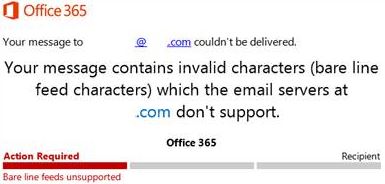
This usually happens when a 3rd party server is emailing you which includes characters which causes emails to be rejected. Microsoft used to remove these characters before, but they stopped doing so. As per Microsoft documentation, receive connector need to be adjusted to fix this but that applies to on-prem exchange only. I couldn’t find... Continue Reading →
Upgrading Windows 7 To Windows 10 Issues
I ran into several issues recently where I was helping someone to upgrade few of their PCs from Windows 7 Pro to Windows 10 Pro, so I thought I will share my experience. Following are some of the things I did prior to running the update and most of the machines I was able to... Continue Reading →
This User’s On-premises Mailbox Hasn’t Been Migrated To Exchange Online In Microsoft Office 365 – New Office 365 Tenant
Issue We get the following message after assigning the license to a synchronized user in new Office 365 Tenant and it gets stuck there. This can happen when migrating from on-premise Exchange to newly created Office 365 and we use AD Connect to sync AD accounts to office 365. This can happen due to some... Continue Reading →
 Salman Tariq
 SalmanTechBlogs