Stop Treating All Data the Same: How to Master Microsoft 365 Security with Authentication Contexts
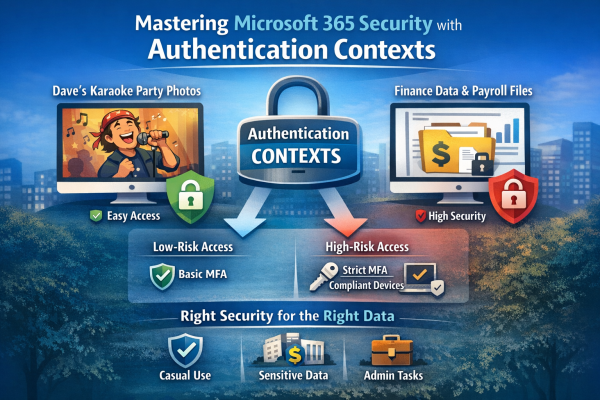
Not all data is equally sensitive, yet many Microsoft 365 environments treat every file and app the same. Blanket multi-factor authentication creates fatigue, and security signals get ignored. That’s where authentication contexts come in. They let you apply stricter Conditional Access controls only to high-value resources—like finance or HR data—while keeping everyday workflows smooth. With granular protection, MFA fatigue drops, security becomes meaningful again, and your most critical data stays safe without slowing down the organization.

Script to Get Currently Setup DFS Details

Let's say you want to get a preview of how DFS is setup before you start making any changes. Following script will output the current dfs setup. This script first imports the DFS module using Import-Module DFSR. It then uses the Get-DfsnServerConfiguration cmdlet to get a list of all DFS Namespace servers in the domain.... Continue Reading →

Script to list The Members of Nested Distribution Groups

Connect to Exchange Online PowerShell $UserCredential = Get-Credential$Session = New-PSSession -ConfigurationName Microsoft.Exchange -ConnectionUri https://outlook.office365.com/powershell-liveid/ -Credential $UserCredential -Authentication Basic -AllowRedirectionImport-PSSession $Session Get list of all distribution groups $groups = Get-DistributionGroup -ResultSize unlimited Loop through each group and get its members foreach ($group in $groups) {Write-Host "Group: $($group.Name)"$members = Get-DistributionGroupMember -Identity $group.Name -ResultSize unlimitedforeach ($member in $members)... Continue Reading →

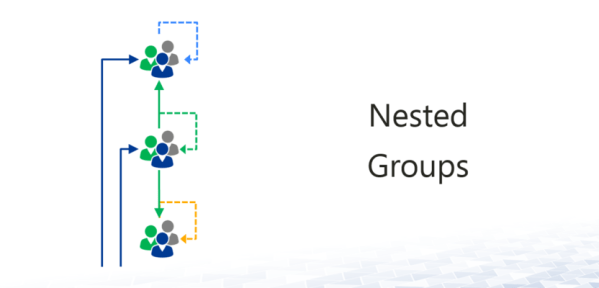
Get Members of Nested Distribution Groups

I recently came up with a request to get a list of all members of a distribution group which can easily be done using Power shell. Get-DistributionGroupMember -Identity "testgroup@xyz.com" This will output all members of the group including other groups. Other groups have nested groups as well so it would be cumbersome process to get... Continue Reading →

How to run Power shell commands Remotely?

It's tedious to log on to server(s) just to check something simple or even complicated. You can create a remote session to the server instead of manually logging on to it and run the commands / programs like if you were physically logged on to it. Open Power shell as admin.Type in Enter-PSSession -Computername fqdn... Continue Reading →

Power shell Truncated Output

Type in FormatEnumerationLimit=-1 Run the command again now and output should display full results. If that doesn't work, please try the following, add switch -wrap -autosize after fl or ft.

Create a website or blog at WordPress.com

Up ↑