Recently, I worked on getting a report of all users who have Email forwarding enabled. Users can have forwarding enabled at their mailbox level and / or mailbox rules. Forwarding Enabled on Mailbox Level: Get-Mailbox -Organizationalunit "OU Path" | where {$_.ForwardingAddress -ne $null} | ft -wrap -autosize Name, ForwardingAddress, DeliverToMailboxAndForward Forwarding Set up using Mailbox... Continue Reading →
Blocked Active Sync Device
I have recently come across an issue where a device status was Blocked. It was Allowed from Exchange Online portal but after refreshing it, it goes back to the Blocked state. I ran the following command on exchange power shell to find out the device ID of the device that was in Blocked status. Make... Continue Reading →
Mystery Of Some UserA Emails Being Sent to UserB As Well
I have across an issue recently where I spent quite some time to figure out the cause. Few emails destined to UserA were also being delivered to UserB. If it was a forwarding, all emails would get forwarded but in this case it was few emails only and it was random. I made sure that... Continue Reading →
External Email Sent To Distribution Group With External Recipients Are Flagged As Spam Or Being Discarded
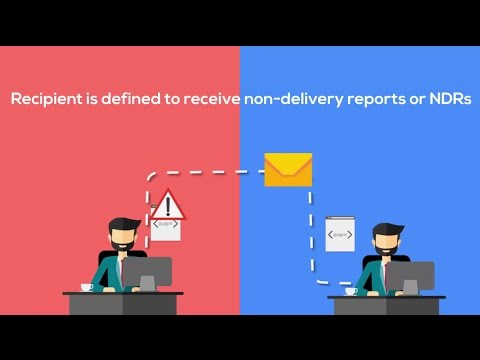
Issue Recently, I have come across an issue where external emails sent to a distribution group were being discarded for members which were external recipients. Emails to internal recipient members were being delivered successfully. For e.g. consider a client with domain @xyz.com having a distribution group called Sales@xyz.com with two members. John@xyz.com and vendor@gmail.com. When... Continue Reading →
Exchange 2016 Add-Ins: Unable to get from Office Store
I have recently come across an issue where users were unable to add Sales force Add-in using OWA 2016. When they tried to add an Add-in using Manage Add-in section on OWA using an option to get an app from Office store, they would get the following error. Most likely it's because of your firewall... Continue Reading →
View Lync Enabled Mailboxes Only
You want to get a list of mailboxes that have Lync enabled. When Lync is enabled for a mailbox, you get an additional address type i.e. SIP in the email properties of a mailbox. Following command will list all users along with their SIP addresses and if Lync is not enabled, SIP address would be... Continue Reading →
Steps to take prior to Installing Cumulative Update for Exchange 2010/2013/2016
I have come across the following issue post cumulative update for Exchange servers several times hence decided to share this with everyone. Web.config is a file that contains client specific limits for OWA, EWS , and Active Sync. When a cumulative update is installed, the web config file is overwritten and the limits that you... Continue Reading →
Taking Ownership of Office 365 Tenant
Let's assume that you have got a client named XYZ Services (xyzServices.com) that you need to set up an Office 365 tenant for. As per the client, they have never used Office 365 services before, they have been on some On-Prem Exchange. When creating a new tenant, you are required to enter the Tenant name... Continue Reading →
Mailbox and Distribution Access Permissions

There have been many instances where we get a request to find out which mailboxes if any does a specific mailbox has access to and what's the access level. And also to find out out which distribution group(s) is user member of. It's not easy to get this manually by checking the properties of each... Continue Reading →
Migrating On-Prem Users To Existing O365 Tenant With AD Connect Sync Already In Place
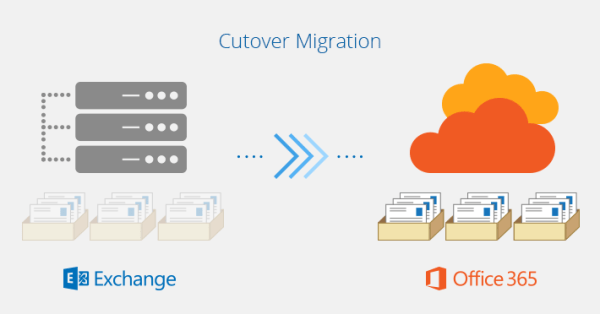
Let’s say you are in the process of migrating a client of yours to Office 365 from their on-premises environment where they are running Microsoft Exchange server. Normally, you would create a new tenant on O365 and then create the users on cloud only to be begin with. After creating users, you would start mail... Continue Reading →
 Salman Tariq
 SalmanTechBlogs