The Ultimate Guide to Secure BYOD: Mastering App Protection Policies Instead of Full Device Enrollment

BYOD offers flexibility, but it can also open the door to serious data risks if it’s not managed properly. Instead of taking full control of employees’ personal devices, modern security focuses on protecting the data itself. In this guide, you’ll learn how to secure company information on personal phones using Microsoft Intune App Protection Policies and Conditional Access, giving your team the freedom to work anywhere while keeping sensitive data locked down.

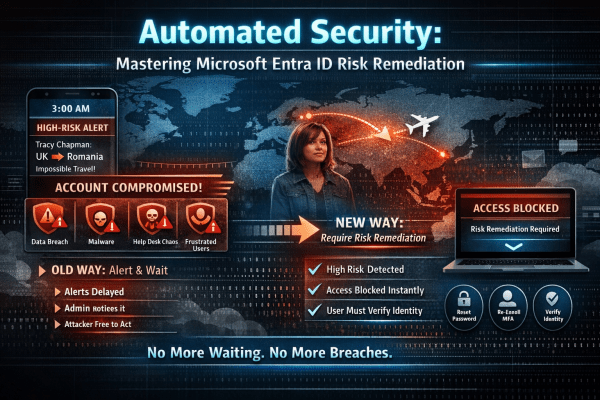
Automated Identity Defense: Smarter Conditional Access with Risk Remediation

High-risk user alerts at 3 a.m. are exhausting and dangerous. By the time an admin investigates, an attacker may already have full access to email, files, and sensitive data. Microsoft Entra ID changes that with Require Risk Remediation in Conditional Access. Instead of just sending alerts, it automatically blocks compromised accounts and forces secure recovery before access is restored. No delays. No ticket backlog. Just immediate containment and smarter identity protection for Microsoft 365.

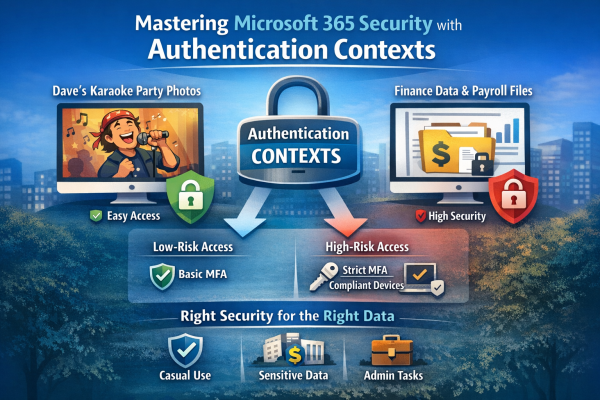
Stop Treating All Data the Same: How to Master Microsoft 365 Security with Authentication Contexts

Not all data is equally sensitive, yet many Microsoft 365 environments treat every file and app the same. Blanket multi-factor authentication creates fatigue, and security signals get ignored. That’s where authentication contexts come in. They let you apply stricter Conditional Access controls only to high-value resources—like finance or HR data—while keeping everyday workflows smooth. With granular protection, MFA fatigue drops, security becomes meaningful again, and your most critical data stays safe without slowing down the organization.

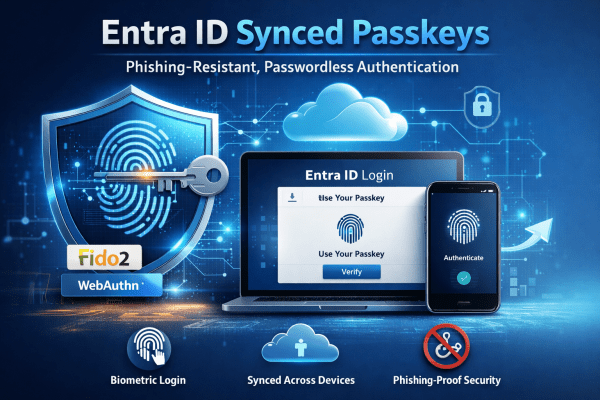
Mastering Entra ID Synced Passkeys

Entra ID synced passkeys replace passwords with phishing-resistant authentication built on FIDO2 standards. Users sign in using biometrics or device PINs, with credentials securely synced across devices. The result is stronger security, faster access, and a smoother experience for both users and IT teams.

Enhance Microsoft 365 Security by Switching to Edge

In today’s digitally driven world, businesses are increasingly relying on cloud solutions like Microsoft 365 for their operational needs. However, many organizations overlook an integral aspect of ensuring security and compliance while using these platforms: the choice of web browser. This article dives into why Google Chrome or any other non Microsoft browser may not... Continue Reading →

Create a website or blog at WordPress.com

Up ↑